 ServX24
A working cab app running on their real backend, 1 day after the project started.
An Ola-style cab app with live map tracking, built end to end in one pass
- Client
- ServX24 · fleet and mobility ERP
- App
- Employee + driver, iOS · Android · web · Try the prototype ↗
- My role
- Built the mobile app (89 of 97 commits)
- Status
- Built
Context
ServX24 runs an ERP for vehicle fleets: bookings, vehicles, drivers and billing for corporate clients. Their clients wanted an Ola-style app for employee transport: employees book a cab to and from the office, drivers receive and run the trip, and the company is billed at month end.
The problem
The app had to sit on top of a backend and web ERP that already existed, with two roles in one app, background location from the driver's phone, and a design the founders expected to see exactly as drawn. Built the usual way, that's weeks of screens, wiring and back-and-forth before anyone can tap through it.
The app, screen by screen
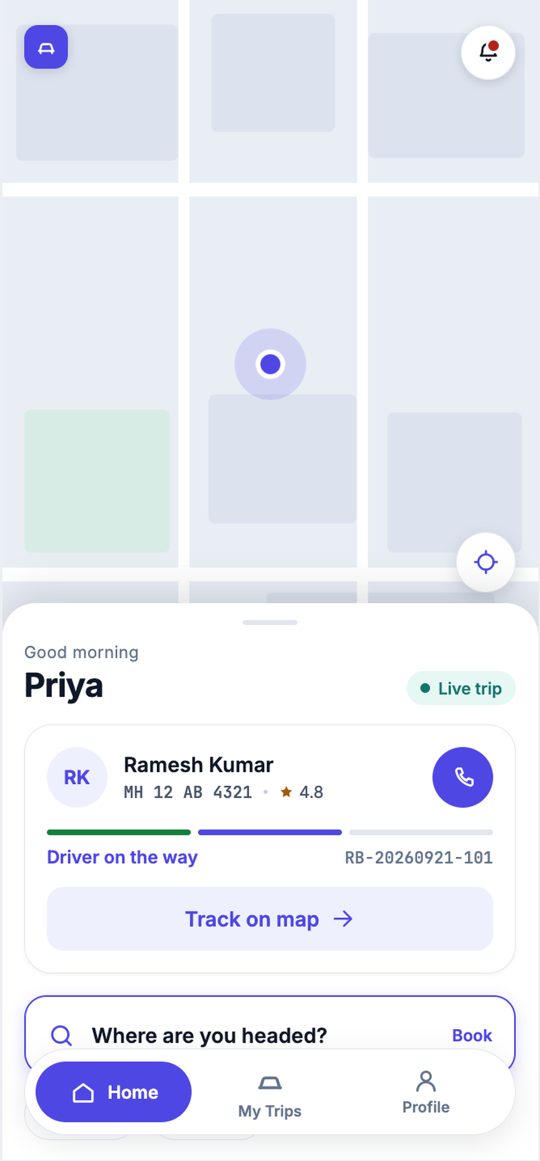
All 15 screens of the employee and driver apps, from the design references the app is built and tested against. Names and numbers are sample data. Click through the live prototype ↗
What I built
15 screens drawn as phone-size artboards, plus a design system: colours, type, spacing and components, in light and dark. Dark is a real theme, because drivers work at night.
Sign in with an OTP and the app opens as an employee or a driver. Employees book, track and share trips; drivers accept, start with the rider's code and end the trip.
The driver's phone sends GPS in the background during a trip, and the employee watches the cab move on the map.
An SOS screen, up to three emergency contacts and a share-my-trip link.
Typed API contracts shared with ServX24's backend and web ERP, so the app, the API and the web all agree on what a booking is.
Development, preview and production builds on EAS, with the production build set to submit to the stores.
The hard part
The booking panel on the home screen rendered in the simulator but not on a device: the whole screen stayed map. The popular bottom-sheet library behind it has open bugs where it never draws when the phone's Reduce Motion setting is on, and incomplete support for the animation library this app uses.
I replaced it with a small panel built on the gesture and animation code the app already used. It draws at its resting height from the first frame, so there's no opening animation for a phone setting to break, and only the handle drags, so the list inside scrolls normally.
Granting location permission could leave the app stuck, because the phone's first GPS fix has no timeout and can hang indoors. Every location request is now capped at 10 seconds.
How quality is checked
On every push, CI renders all 15 screens and measures each one pixel by pixel against its design, flagging anything more than 2% off. It reports rather than blocks while the designs are still changing: in the latest CI run (22 October 2026), 3 of the 15 screens were within 2% and the other 12 were flagged for fixes.
Every colour, size and spacing comes from the design system. A raw hex code or pixel value in a component is treated as a bug.
Typecheck, lint and unit tests run in CI on every push.
Result
One day from an empty repo to a working build against the real backend (21 to 22 September 2026). Every feature, including live map tracking, was built end to end in one pass, then measured against the design on every push. I wrote 89 of the app's 97 commits.
Stack
Start a similar project.
Find out in 48 hours exactly what it takes to get your app approved, live and earning.
Audit fee credited to your build · NDA on request
- A plain-English verdict: keep, fix or rebuild the risky parts
- Every issue ranked: what could lose you money or users first
- A backend and review check: data rules, exposed keys, payment webhooks, and Apple's and Google's top rejection reasons
- A fixed price to get you live
Credited to your buildFree · no call needed